Panasonic KC-TCC942-B Instrukcja Użytkownika
Przeglądaj online lub pobierz Instrukcja Użytkownika dla Automatyczne sekretarki Panasonic KC-TCC942-B. Panasonic KC-TCC942-B Manuel d'utilisation Instrukcja obsługi
- Strona / 80
- Spis treści
- BOOKMARKI
Oceniono. / 5. Na podstawie oceny klientów

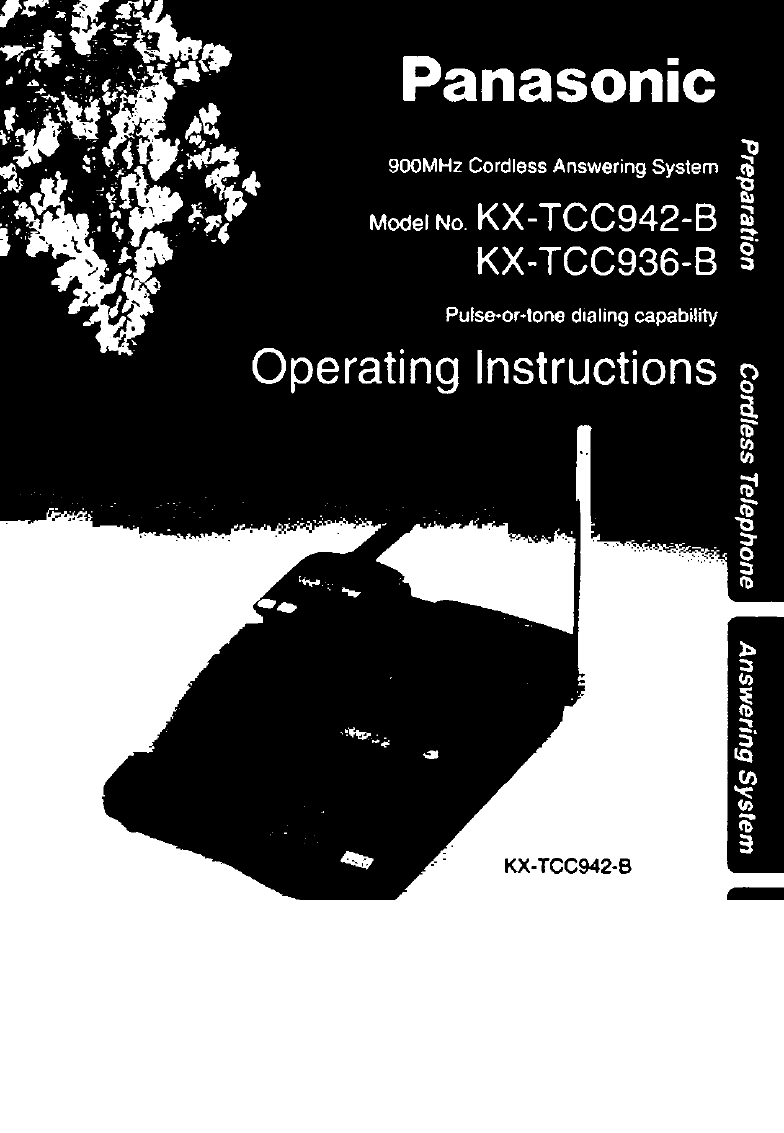
PLEASE READ BEFORE USE
AND SAVE.
Caller ID Compatible
Charge the battery for about 15 hours before Initial use.
- Caller ID Compatible 1
- Please read IMPORTANT SAFETY 2
- For Best Performance 3
- Contents 4
- &MMMmMSsoo 5
- Location of Controls 6
- Handset (Back side) 7
- Handset Hook (p. 16) 9
- Button and Indicator (p. 32) 9
- Handset display 10
- Displays 12
- Settings 13
- _________________ 13
- Recharge 15
- Battery information 15
- Selecting the Dialing Mode 17
- Setting the Auto Talk Feature 19
- [GREETING check! 20
- Pre-recorded greeting message 21
- * recording time 23
- Time and Day Adjustment 24
- To check the time/day 25
- Selecting the Number of Rings 26
- Making Calls 28
- To select the receiver volume 29
- Lighted display 29
- Answering Calls 30
- 2 beeps sound 31
- To put a call on hold 33
- To release the hold 33
- Automatic Dialing 34
- Dialing a Stored Number 37
- Caller ID Service 38
- Using the Caller List 40
- -■ Press (SEARCH! V 41
- (v or a) to enter the list 43
- (v or a) repeatedly to 43
- Be sure this display is 45
- Intercom 46
- From the handset to the 47
- Special Features 48
- Temporary Tone Dialing 49
- Automatic Answering Operation 50
- Listening to Messages 51
- Erasing Messages 53
- Pager Call 54
- 2-digit number (00-99) 57
- Voice Menu 58
- All Message Playback 59
- New Message Playback 59
- Recording a Memo Message 59
- Erase All Messages 59
- Recording a Greeting Message 59
- Direct Remote Operation 60
- Skipping the greeting message 61
- SCREEN/PLAYBACi^ 62
- Po"! * 63
- J The next message is played 63
- 1. Press [SCREEN/PLAYBACKl 64
- [SCREEN/PLAYBACK] 64
- Remote Operation Card 65
- Adding Another Phone 67
- Optional Spare Battery 68
- [search! iv or a) 70
- Before Requesting Help 72
- SAVE THESE INSTRUCTIONS 75
- Important Safety Instructions 76
- FCC and Other Information 77
- For product service 79
- When you ship the product 79
- Printed in Japan 80
- KS0897MN4068 80
Podsumowanie treści
Strona 1 - Caller ID Compatible
PLEASE READ BEFORE USE AND SAVE.Caller ID CompatibleCharge the battery for about 15 hours before Initial use.
Strona 2 - Please read IMPORTANT SAFETY
DisplaysBoth the handset and base unit give you instructions and information on their displays. These display prompts are shown below.Hands
Strona 3 - For Best Performance
SUSAN HAMMER ---WAITING----SUSAN HAMMER 11:20A JAN12 X3OUT OF AREAA second call is received during a conversation (p. 48).This is a name from the Call
Strona 4 - Contents
DisplaysBase unit displayr------------V_______JThe dock needs adjusting (p. 24).Your greeting message was not recorded correctly. Record it again
Strona 5 - &MMMmMSsoo
Installing the Battery In the HandsetInstall the battery as shown observing the proper polarity.Then install the handset cover.Settings_______________
Strona 6 - Location of Controls
SettingsConnectionsThe AC adaptor must remain connected at all times. (It is normal for the adaptor to feel warm during use.)To connect a
Strona 7 - Handset (Back side)
RechargeWhen the TALK/BATT LOW indicator flashes slowly or the unit beeps intermittently, recharge the battery.• The TALK/BATT LOW indicator will cont
Strona 8
SettingsWall MountingThis unit can be mounted on a wall phone plate.1Pull down the handset hook until it locks so the tab holds the handset.Connect th
Strona 9 - Button and Indicator (p. 32)
You can program the dialing mode using the handset close to the base unit. If you have touch tone service, set to TONE. If rota
Strona 10 - Handset display
SettingsStoring the Area CodeYou have to program your area code first before using the Caller ID feature (p. 38). Then incoming calls from the same ar
Strona 11
Setting the Auto Talk FeatureThe Auto Talk feature allows you to answer a call by lifting the handset off the base unit without pressing iTALkl. If yo
Strona 12 - Displays
Before Initial UsePlease read IMPORTANT SAFETY INSTRUCTIONS on pages 75-76 before use. Read and understand all instructions.Thank you for purchasing t
Strona 13 - _________________
Preparing the Answering SystemGreeting MessageYou can record a personal greeting message. If you do not record one, a pre-recorded greeti
Strona 14
To erase the recorded greeting messagePress ¡GREETING CHECK] m press (ERASEI while the message is being played.• The unit will answer a call with a pr
Strona 15 - Battery information
Preparing the Answering SystemSummary of Programmable PreparationsYou can program the following functions by using the handset near the bas
Strona 16
Selecting the Caller’s Recording TimeYou may select the caller’s recording time as either “1 minute”, “unlimited" or “greeting only”.
Strona 17 - Selecting the Dialing Mode
Preparing the Answering SystemTime and Day AdjustmentVoice Time/Day Stamp: During playback a synthesized voice will announce the time and day when eac
Strona 18
To check the time/dayPress [PROGRAMi ^ [SCREEN/PLAYBACK] ^• The current time/day is heard. When finished, press iPROGRAi^.For Caller ID service users
Strona 19 - Setting the Auto Talk Feature
Preparing the Answering SystemSelecting the Number of RingsYou may select the number of rings before the answering system answers a call,
Strona 20 - [GREETING check!
The CPC function is preset to “A”. If you use a call waiting service, set to “b”, or the call waiting tone will disconnect someone leav
Strona 21 - Pre-recorded greeting message
Making Calls-j Press [TALKl.• The TALK/BATT LOW indicator lights.2 Dial a phone number.• The dialed number is displayed.• After a few seconds, the dis
Strona 22
• If “OUT OF RANGE” is displayed and an alarm tone sounds after pressing [TALK! when making a call, move closer to the base unit or place the handset
Strona 23 - * recording time
For Best PerformanceBattery ChargeA rechargeable Ni-Cd battery powers the handset. Install the battery (p. 13) and charge it for about 15 hours before
Strona 24 - Time and Day Adjustment
Answering CallsWith the Handset!f you subscribe to a Caller ID service, the calling party information will be displayed on the handset af
Strona 25 - To check the time/day
Adjusting the handset ringer volumeThe TALK/BATT LOW indicator light must be off.• To select HIGH (preset) or LOW, press [LOUD/RING^ lightly.(Each tim
Strona 26 - Selecting the Number of Rings
Answering CallsWith the Base Unit (Digital Duplex Speakerphone)When a call is received, the unit rings and the CALLER ID indicator light
Strona 27
Hands-Free Digital Duplex SpeakerphoneThe digital duplex speakerphone enhances your telephone conversation. For best performance, please note the foll
Strona 28 - Making Calls
Automatic DialingStoring Phone Numbers in MemoryYou can store up to 10 phone numbers in the handset. The dialing buttons (0 to 9) functio
Strona 29 - Lighted display
Press (PROGRAM I.• The TALK/BATT LOW indicator flashes.Press [SEARCH) A (YES key).Enter a phone number up to 16 digits.• If you misdial, press [CLEARl
Strona 30 - Answering Calls
Automatic DialingMemory stickerUse the included memory sticker as a name or phone number index for automatic dialing. Attach the sticker to the unit o
Strona 31 - 2 beeps sound
Dialing a Stored Number37
Strona 32
Caller ID ServiceThis unit is compatible with a Caller ID service offered by your telephone company.After you subscribe to a Caller ID service, the ca
Strona 33 - To release the hold
• When the unit is connected to a PBX system, you cannot receive caller information.• In some calling areas, the name display service may not be avai
Strona 34 - Automatic Dialing
ContentsLocation of Controls... 6Displays...
Strona 35
Using the Caller ListViewing the Cailer ListTo confirm who has called you, follow the steps below.1Lift the handset off the base unit.ORWhen the hands
Strona 36
Ex. When you search from the most recent call:Lift the handset off the base unit.1 NEW CALLOR- Press (SEARCH! V.To exit the Caller List, press [EXltj
Strona 37 - Dialing a Stored Number
Using the Caller ListCalling Back from the Caller List1Lift the handset off the base unit.ORWhen the handset is off the base unit, press ISEARCH] (v o
Strona 38 - Caller ID Service
Editing the Cailer’s Phone NumberThe unit can edit a phone number into one of 4 patterns.1Lift the handset off the base unit.ORWhen the handset is off
Strona 39
Using the Caller ListStoring the Caller List Information in Automatic Dialing MemoryYou can store numbers that are in the Caller List into
Strona 40 - Using the Caller List
Erasing the Caller List InformationAfter checking the Caller List, you can erase some or all of the entries.To erase a specific caller from the Caller
Strona 41 - -■ Press (SEARCH! V
IntercomA 2-way intercom is available between the handset and the base unit.Paging the base unit from the handset123Handset:Press [INTERCOM], then spe
Strona 42
During the intercom:• Intercom calls can only be ended by the handset.• If two tones sound, an incoming call has been received. To answer, press iTA
Strona 43 - (v or a) repeatedly to
Special FeaturesFor Call Waiting Service UsersPress I CALL WAIT/FLASHI if you hear a call-waiting tone while talking.• The first call is put on hold a
Strona 44
Automatic Security Code SettingWhenever you place the handset on the base unit, the unit automatically selects one of a million security codes. These
Strona 45 - Be sure this display is
Storing the Caller List Information in Automatic Dialing Memory ...44Erasing the Caller List Information ...
Strona 46 - Intercom
Automatic Answering OperationWhen the unit answers a call, the unit plays back your greeting message and records the caller’s message., • The total re
Strona 47 - From the handset to the
Listening to MessagesYou can see the total number of recorded messages on the base unit display. If the ANSWER ON button light flashes, new messages h
Strona 48 - Special Features
Listening to MessagesDuring playbackTo repeat themessagePress [ repeat!.(If you press within 5 seconds of playback, the previous message will
Strona 49 - Temporary Tone Dialing
Erasing MessagesThe unit will announce the remaining recording time after playback if it is less than 5 minutes. New messages cannot be recorded when:
Strona 50 - Automatic Answering Operation
Pager CallThis feature allows you to alert your pager when the unit records an incoming message. You can retrieve the message from a touch tone teleph
Strona 51 - Listening to Messages
To confirm the stored pager numberPress [TALKl ^ [AUTO] ^ d).• The unit dials the stored number,• If the pager does not beep, restart from step 1 to
Strona 52
Remote Operation from a Touch Tone PhoneYou can operate the answering system from any touch tone phone.A synthesized voice menu wiii guide you on how
Strona 53 - Erasing Messages
Setting the Remote CodeThe remote code prevents unauthorized people from accessing your unit and listening to your messages. Choose any 2-digit number
Strona 54 - Pager Call
Remote Operation from a Touch Tone PhoneVoice MenuThe shaded boxes are voice prompts.Press 1 to play back all messages. Press 2 for other functions.Pr
Strona 55
All Message PlaybackThe unit plays back all of the recorded messages. At the end of the last message, “End of final message” and t
Strona 56
Location of ControlsHandset (Front side)(p. 15)
Strona 57 - 2-digit number (00-99)
Remote Operation from a Touch Tone PhoneDirect Remote OperationOnce you have entered the remote code, you can also control your unit by direct remote
Strona 58 - Voice Menu
PAGER CALL ON/OFFEach time you press (U, “on/off" is heard and the mode will turn on/off alternately.If you did not store a pager number, 6 beep
Strona 59 - Recording a Greeting Message
Remote Operation with the HandsetYou can operate your answering system with the handset.The announcement and recorded messages can only be heard from
Strona 60 - Direct Remote Operation
*Voice menuIf no commands are given after you press ISCREEN/PLAYBACK], the unit will start the following voice menu:“Press 4 to playback new messages;
Strona 61 - Skipping the greeting message
Remote Operation with the HandsetANSWERING SYSTEM OFFS]• The SCREEN/PLAYBACK indicator flashes.ANSWERING SYSTEM ONrsl• The SCREEN/PLAYBACK indicator l
Strona 62 - SCREEN/PLAYBACi^
Remote Operation CardOPERATION WITH THE HANDSET«h»6«flror stap_*^OHI 4){ JKL 5]^prs7^(^tovrow AMSOfF PHOgWM K7i™ iOUQ HS)WLOOOOlQ RASH RtNQER PAUSEOPr
Strona 63 - J The next message is played
Remote Operation CardPress SCREEN/PLAYBACK.• To erase a specific message,press “*4” during the message playback.To erase all messages,press “^5”.• T
Strona 64 - [SCREEN/PLAYBACK]
Adding Another PhoneThis unit will not function during a power failure. To connect a standard telephone on the same line, use a Panasonic
Strona 65 - Remote Operation Card
Optional Spare BatteryWhen the handset battery needs charging, you may replace it with a fully charged optional spare battery. This eliminates waiting
Strona 66
Replacing the handset battery with the spare batteryTo prevent memory loss, replace the battery within 5 minutes.Remove the handset cover, then remove
Strona 67 - Adding Another Phone
Handset (Back side)Display (p. 10)EXIT Button (p. 17, 40)CLEAR Button (p. 29, 35, 45)NAME^EL NO.Button (p. 29, 40)Illuminated Search KeysThe ISEARCHl
Strona 68 - Optional Spare Battery
Before Requesting HelpCordless telephone ProblemRemedy“OUT OF range” is displayed ' and an alarm tone sounds when you press (TALKi [INTERCOM] or
Strona 69
ProblemRemedyYou cannot store a phone number in memory.• 1 SEARCH) (v or a) mav have been pressed when you picked up the handset. Press lEXlTl. then
Strona 70 - [search! iv or a)
Before Requesting HelpAnswering system ProblemRemedyThe answering system is on, but no incoming messages are recorded.• The recording time is set
Strona 71
ProblemRemedy, While recording a greeting message, the unit starts to ring and stops recording.• To answer the call, press (DIGITAL SP-PHONEl, or lift
Strona 72 - Before Requesting Help
Before Requesting HelpGeneralProblem RemedyThe unit does not work.• Check the settings (p. 13-19).• Charge the battery fully {p. 14).• Clean the charg
Strona 73
Important Safety InstructionsWhen using this unit, basic safety precautions shouid always be followed to reduce the risk of fire, electric shock, or p
Strona 74
Important Safety InstructionsCAUTION:To reduce the risk of fire or injury to persons, read and follow theseinstructions.1. Use only the battery(ies)
Strona 75 - SAVE THESE INSTRUCTIONS
FCC and Other InformationIf requested by the telephone company, inform them as follows:FCC Registration No...
Strona 76 - Important Safety Instructions
FCC and Other InformationThis device complies with Part 15 of the FCC Rules. Operation is subject to the following two conditions: (1) This device may
Strona 77 - FCC and Other Information
For product service• Panasonic Servicenters are listed in the servicenter directory.• Cal! 1-800-211-PANA(7262) for the location of an authorized se
Strona 78
Location of ControlsBase unitSPARE CHARGE Indicator (p. 68)
Strona 79 - When you ship the product
Panasonic Consumer Electronics Company,Division of Matsushita Electric Corporation of AmericaOne Panasonic Way, Secaucus, New Jersey 07094Panasonic Sa
Strona 80 - KS0897MN4068
Handset Hook (p. 16)Button and Indicator (p. 32)
Powiązane produkty i podręczniki dla Automatyczne sekretarki Panasonic KC-TCC942-B
 (152 strony)
 (9 strony)
© 2020, manymanuals.pl. Wszelkie prawa zastrzeżone. | 0.082 s |
 Manymanuals.com
 Manymanuals.de
 Manymanuals.fr
 Manymanuals.it
 Manymanuals.pl
 Manymanuals.cz
 Manymanuals.es
 Manymanuals-pt.com
Komentarze do niniejszej Instrukcji